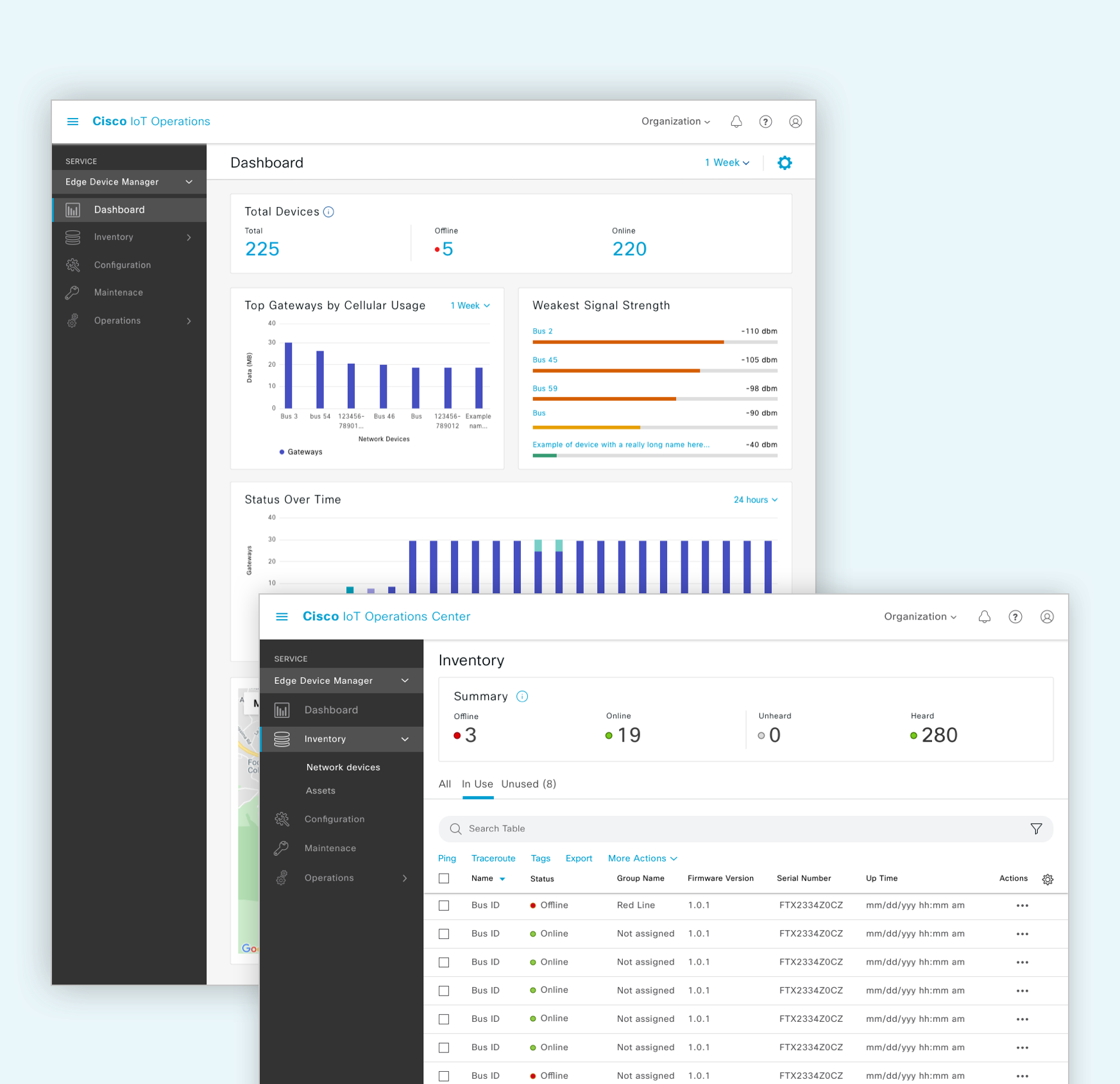
Edge Device Manager (EDM) helps Cisco's largest IoT customers manage networks of thousands of devices — IT network engineers, operations technicians, and deployers all rely on it daily.
Problem
Claiming and onboarding a device was slow and error-prone enough that customers leaned on Cisco's technical marketing engineers just to get through it.
Approach
Interviewed 4 existing customers, then split the flow in two — an IT-focused template/configuration setup and a much simpler, role-appropriate device claiming path for OT users.
Outcome
A simpler, more scalable onboarding experience that moved customers off manual, one-at-a-time claiming and reduced their dependence on live Cisco support.
4
Cisco IoT customers interviewed
10 → Bulk
Devices onboarded manually before, vs. bulk today
6 Weeks
End-to-end design timeline
Customers need a faster way to onboard network devices
EDM is Cisco's device management platform — it's how customers manage and monitor their fleet of network devices. Our biggest customers have thousands of devices to keep track of, and their IT network engineers, operations technicians, and deployers all lean on EDM to keep everything running smoothly in one place.
Claiming a device — the process of bringing it into the system — was one of the most common tasks in EDM, and one of the most fragile. Customers were relying heavily on Cisco's Technical Marketing Engineering team just to get through onboarding and configuration, which told us the flow itself wasn't simple or scalable enough to stand on its own.
What was wrong with the current onboarding process?
I talked with 4 existing Cisco IoT customers about their experience with the old platform.
"There's a lot of jumping around between pages just to claim a gateway. I had to jump to two other places just to begin claiming a device."
"The GUI configuration is easier and faster to set up than the CLI, for sure."
Three problems came up again and again:
01Workflows were too technical. The existing setup was IT-centric — getting a gateway running for the first time meant knowing your way around a command line interface.
02No way to onboard in bulk. Customers were claiming devices one at a time, manually, and could only get through about 10 in a sitting.
03Poorly organized and tedious. Onboarding a single device meant bouncing between templates, groups, and inventory — a lot of customers found those steps hard to follow the first time through.
Design Goal
I kept two goals in mind for this project, to make sure every decision was pulling toward the same thing:
Simple — customers should be able to onboard a device with little to no outside guidance.
Scalable — the flow needed to hold up at the volume our largest customers actually operate at.
Early Iterations
The claim flow went through several rounds with our PM, engineering, and customers before it landed. The first version let a customer claim a device start to finish in one continuous step — template creation, app install, and the final claim, all in a row.
1st iteration — template creation and device claiming combined into a single flow
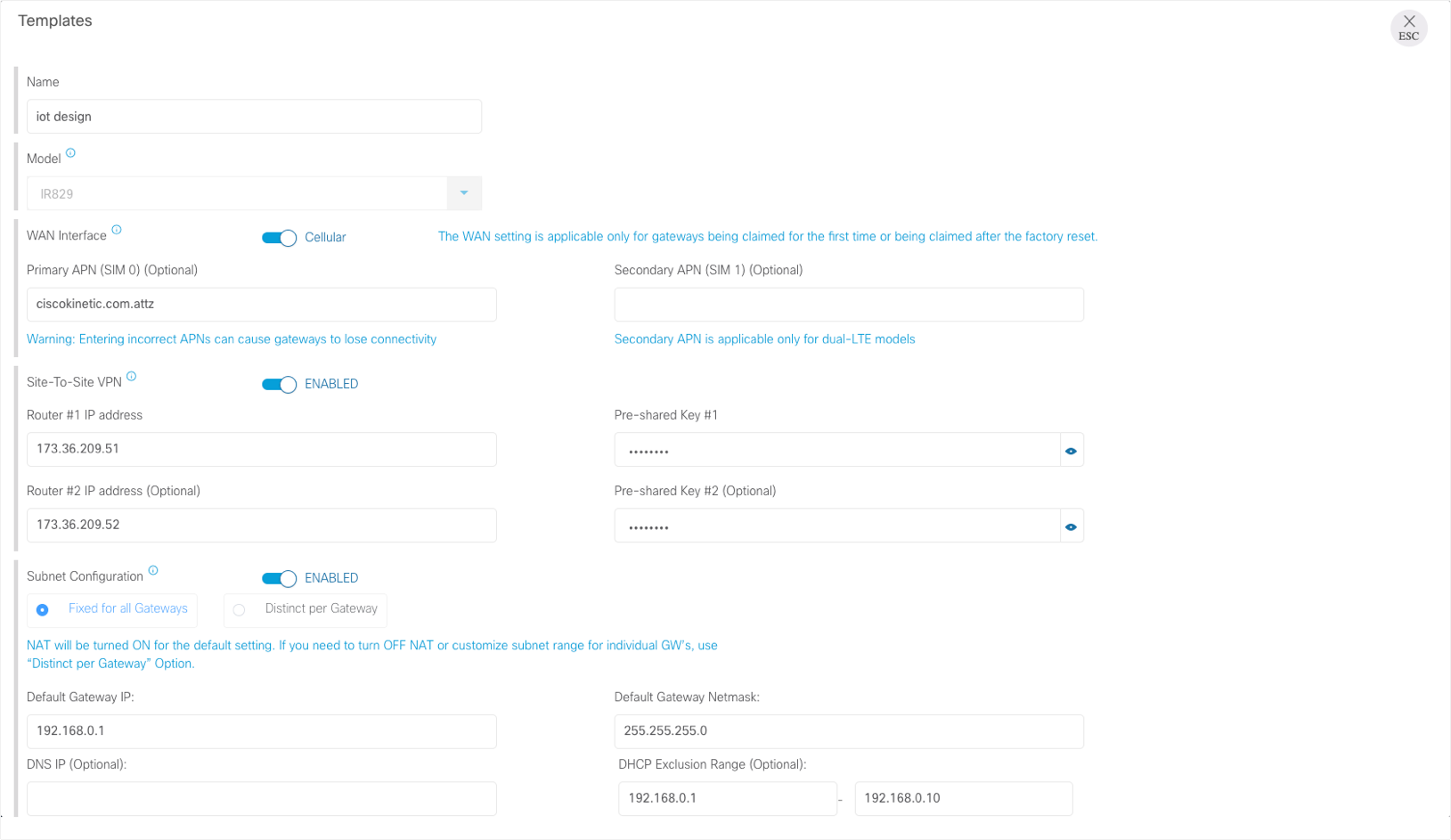
In practice, it was too long. Customers dropped off partway through because they didn't have everything they needed on hand yet — a configuration detail, an app that wasn't installed. The first round of interviews explained why: template creation and device claiming are usually done by different people at a customer's organization. Template creation is IT's job, since the configuration can get complex. Claiming a device, once a template exists, is much simpler — typically handled by an OT user or a third party brought in to onboard.
2nd iteration — split into a template-creation path for network engineers and a simpler claiming path for technicians
Splitting the two flows meant each person only had to deal with the part of the job that was actually theirs.
Template creation — where network engineers define the configuration a gateway will use
Today's Onboarding Workflow
We extended this further by automating onboarding on the backend: once a customer sets up their Cisco Smart Account, purchased devices now populate automatically into an "Unused" inventory through our integration with the sales order platform and Cisco PNP — no manual entry required.
From there, a device moves from Unused (registered to the account, not yet active) to In Use once it's powered on, communicating with EDM, and has a configuration applied. Splitting inventory this way mirrors how the work actually happens — two different teams, two different stages of getting a gateway live.
An administrator adds newly purchased devices to inventory, then deploys and configures them for use
Challenges & Impact
Designing across very different industries was a real constraint — a transportation customer and a utilities customer need very different things from the same platform, and reconciling that breadth without fragmenting the product took a lot of back and forth.
Usability testing enterprise hardware is genuinely hard. These devices surface technical issues that can take engineering hours or days to untangle, which meant a lot of patience from our team and our customers alike during sessions.